Get the Garuda Driver App
Install the app on your phone and start sharing your vehicle's live location. Your manager gives you the login details.
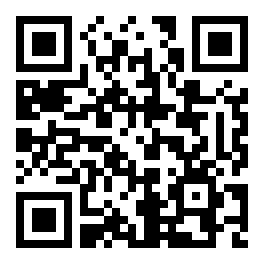
How to install
1
Tap "Download app" above.
2
If the phone asks, allow "install from unknown sources".
3
Open the downloaded file and tap "Install".
4
Open the app and log in with the email/password from your manager.
What's new
- Cargo on your trip — what the truck is carrying, who each drop goes to, packages and weight. Mark each delivery from the phone.
- Hand a trailer or container back from the phone.
- Vehicle checks (DVIR), your cash book, safety score, chat with dispatch, duty on/off, and Nepal/Bhutan border runs.
- The app now tells you when a new update is available — one tap to download.
- Includes reliable-tracking setup, multi-stop, background tracking, and offline queue.
- New "reliable tracking" setup — one-tap to allow battery / autostart / location so tracking keeps running with the screen off.
- Multi-stop trips shown in order; background tracking + offline queue.
- Trips now show every stop in order — origin, each stop, and destination.
- Fixes a "could not start trip" error — background tracking now starts reliably.
- Tracking keeps working even when your screen is off or the app is in the background.
- No network? Your location is saved on the phone and sent automatically once you're back online — no gaps in the trail.
- See your assigned route and request a re-plan when needed.
v0.2.0⬇ this version
- Manager/admin dashboard inside the app — map, alerts, trips and reports.
v0.1.0⬇ this version
- First release: live GPS tracking, trips and proof-of-delivery.
Every release is archived — tap "this version" on any entry to download it.
Android phones only for now. iPhone coming soon.